Exposure Time Calculator: A Complete Walkthrough of the Free Tool
How to use the free Exposure Time Calculator — step wedges (Stouffer, SAATI, Ryonet) and factor filters (ExpoCheck, Chromaline Dual), the off-the-scale cases, and the session log that gets you locked in.
In the step-wedge guide I showed you the math for turning a wedge reading into a corrected exposure time: multiply by 1.41 for every step you’re under, divide for every step you’re over. It’s simple math, but it’s still exponent math on a phone, in the dark, with emulsion on your hands.
So I built the calculator I wanted to have: the free Exposure Time Calculator. This article is the full tour — what it covers, how each mode works, and where it deliberately refuses to help you.
What it covers: both families of exposure calculators
Exposure calculators on the market split into two families, and they work nothing alike:
- Step-counting wedges — a strip of increasing neutral density. You expose once, wash out, and count the last fully-cured step. Stouffer’s T2115 (21 steps) is the standard most shops know; SAATI’s 21-Step guide and Ryonet’s 21-step use the same 0.15-density-per-step convention. Stouffer also makes finer wedges: the T3110 (31 steps, 0.10 per step) and the 41-step T4105/T4110.
- Factor filters — one exposure through a set of neutral-density filters, and you read a factor off the best-looking area instead of counting steps. KIWO/Ulano’s ExpoCheck, Chromaline’s Dual Exposure Calculator, and SAATI’s Exposure Calculator all work this way: correct time = test time × factor.
The tool handles both families, with presets carrying each brand’s real scale — plus a custom option for anything else: your own step count and density increment for wedges, or your own factor list for filters. The presets are taken from the manufacturers’ published instructions; the tool isn’t affiliated with any of them.
Step mode: count, convert, converge
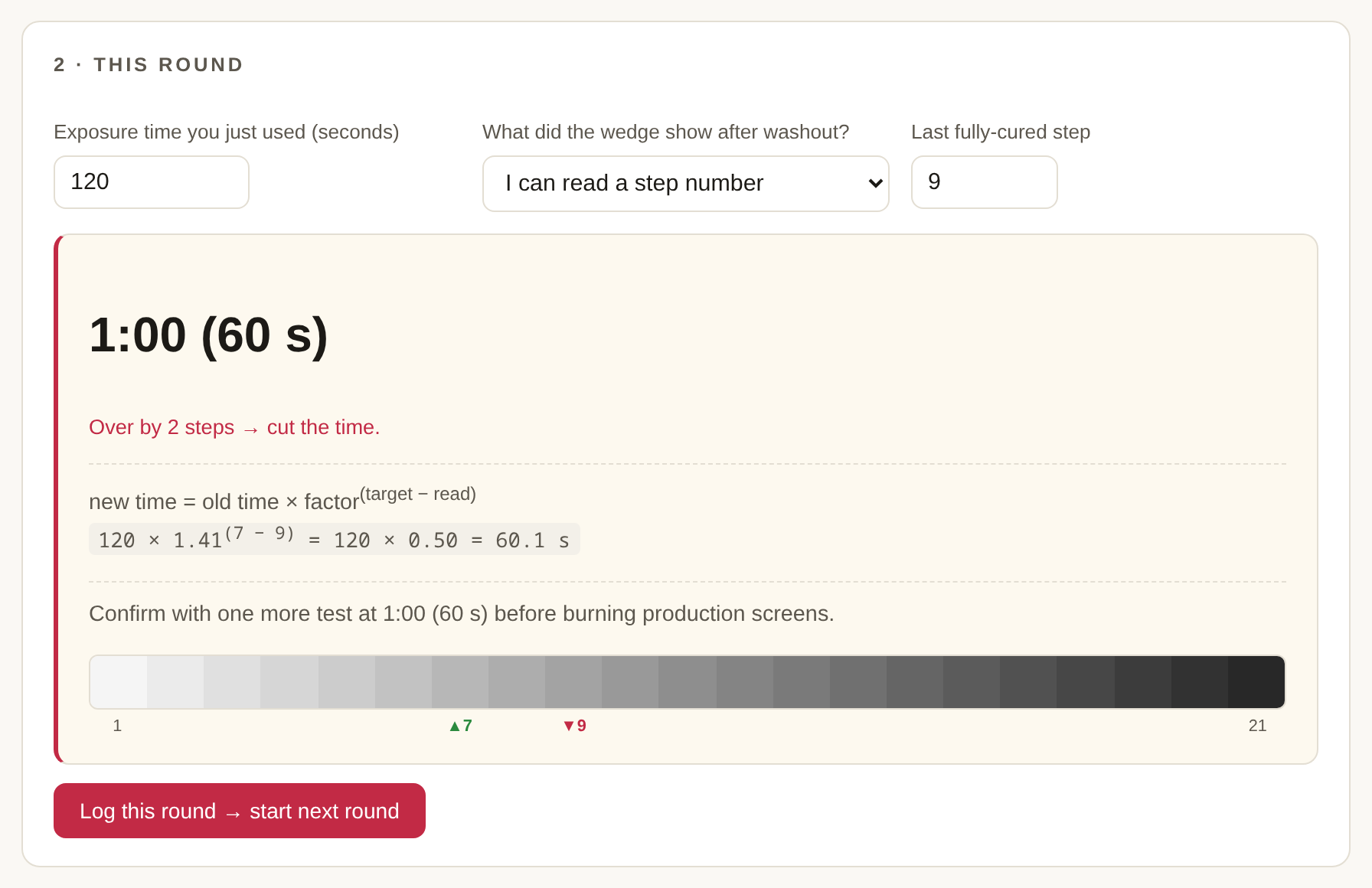
The loop is exactly what you’d do at the exposure unit:
- Pick your wedge and target step. The default is the Stouffer T2115 with target 7 — the classic “seven solid steps” convention. SAATI’s instructions suggest 6 if you’re on a CtS (computer-to-screen) exposure unit, and the tool reminds you of that when you pick the SAATI preset. Whatever you choose, the target is yours to change — your emulsion’s data sheet has the final say.
- Enter the time you just used and the step you read. You get the corrected time, the direction (cut or add), and the complete formula with your numbers filled in:
120 × 1.41^(7 − 9) = 120 × 0.50 = 60.1 s. Times over a minute also show as minutes:seconds, because nobody sets a timer to 953 seconds. - Log the round. The suggested time becomes the next round’s input automatically. You just burn the next test and read it.
The two “can’t read it” cases
A wedge only talks when the answer lands on its scale, and the tool treats the two off-scale cases as first-class citizens instead of pretending the formula can see them:
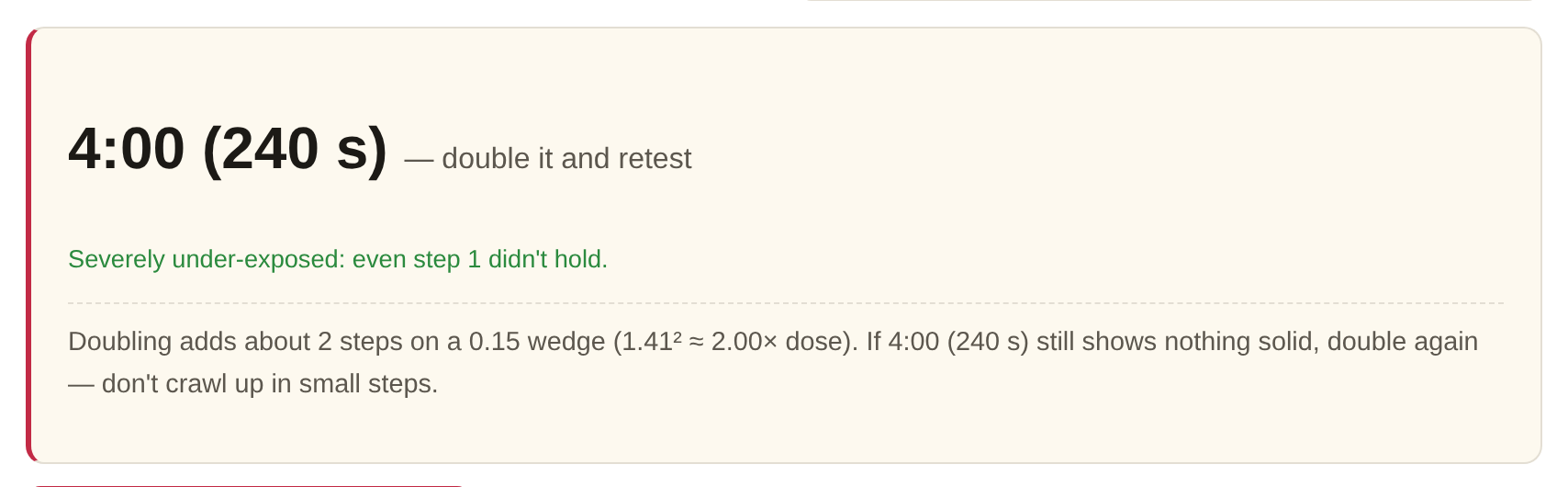
- Nothing is solid, not even step 1. No counting, no formula — you’re off the bottom. The tool tells you to double the time and retest, and to keep doubling if needed. Doubling moves you about two steps on a 0.15 wedge; crawling up 10% at a time is how afternoons die.
- Every step is solid. Off the top — halve and retest, same logic in reverse.
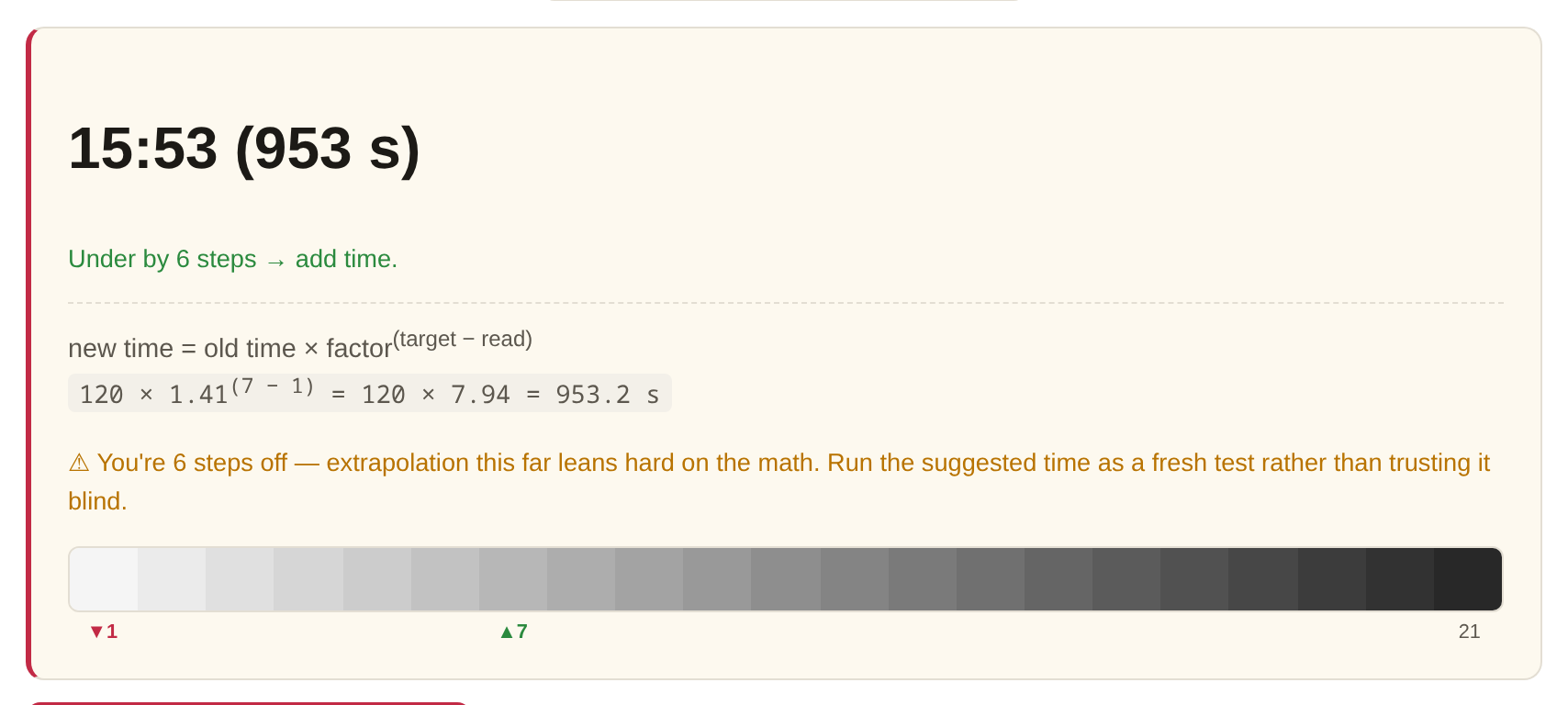
- A readable answer, but four or more steps from target. The formula still runs, but with a warning: extrapolating that far leans hard on reciprocity (the assumption that dose is dose however you slice it), and real emulsions drift from that at extreme times. Treat the suggestion as the start of a fresh test, not the answer.
Factor mode: ExpoCheck, Chromaline Dual, SAATI
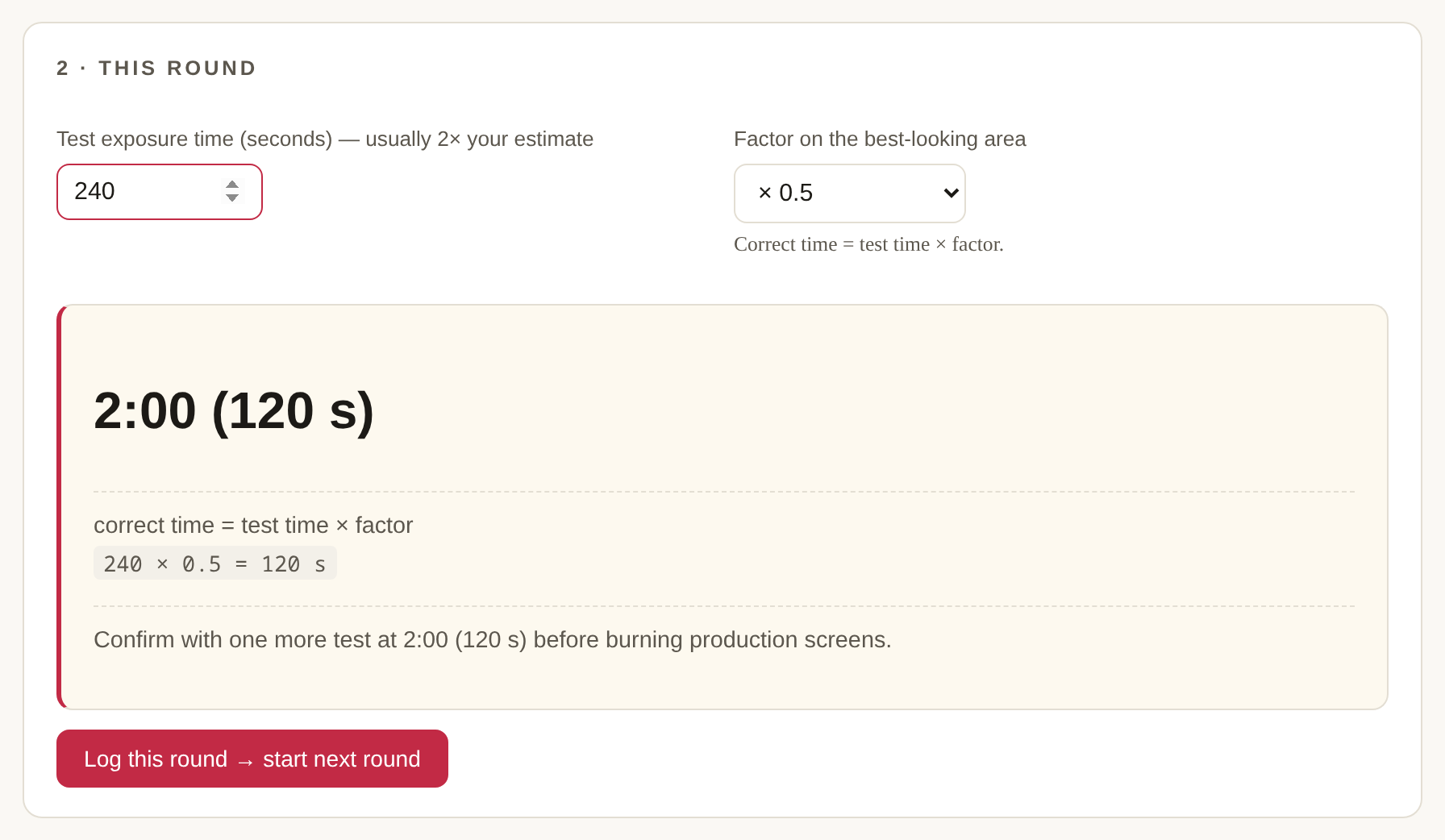
Factor calculators flip the workflow: you expose once, at roughly twice your estimated time, through the filter strip, then find the best-looking area — fully cured, good resolution — and read its factor. The correct time is the test time multiplied by that factor. The tool ships the real factor sets from the three manufacturers’ instructions:
- KIWO/Ulano ExpoCheck — ×1.0 down to ×0.1 in 0.1 steps.
- Chromaline Dual — you read the number between the sharpest pair of line targets, interpolating if the truth sits between two targets (their own example: 0.40).
- SAATI Exposure Calculator — columns showing 100 / 70 / 50 / 33 / 25% of the test time.
The edge cases follow the manufacturers’ own instructions. If the best area is the unfiltered ×1.0 end, your whole test may be under-exposed — confirm at the computed time and raise the test time if ×1.0 still wins. If the best area is the darkest filter, you can’t see whether even less exposure would be better — bracket it with a fresh test at twice the computed time.
The session log is the point
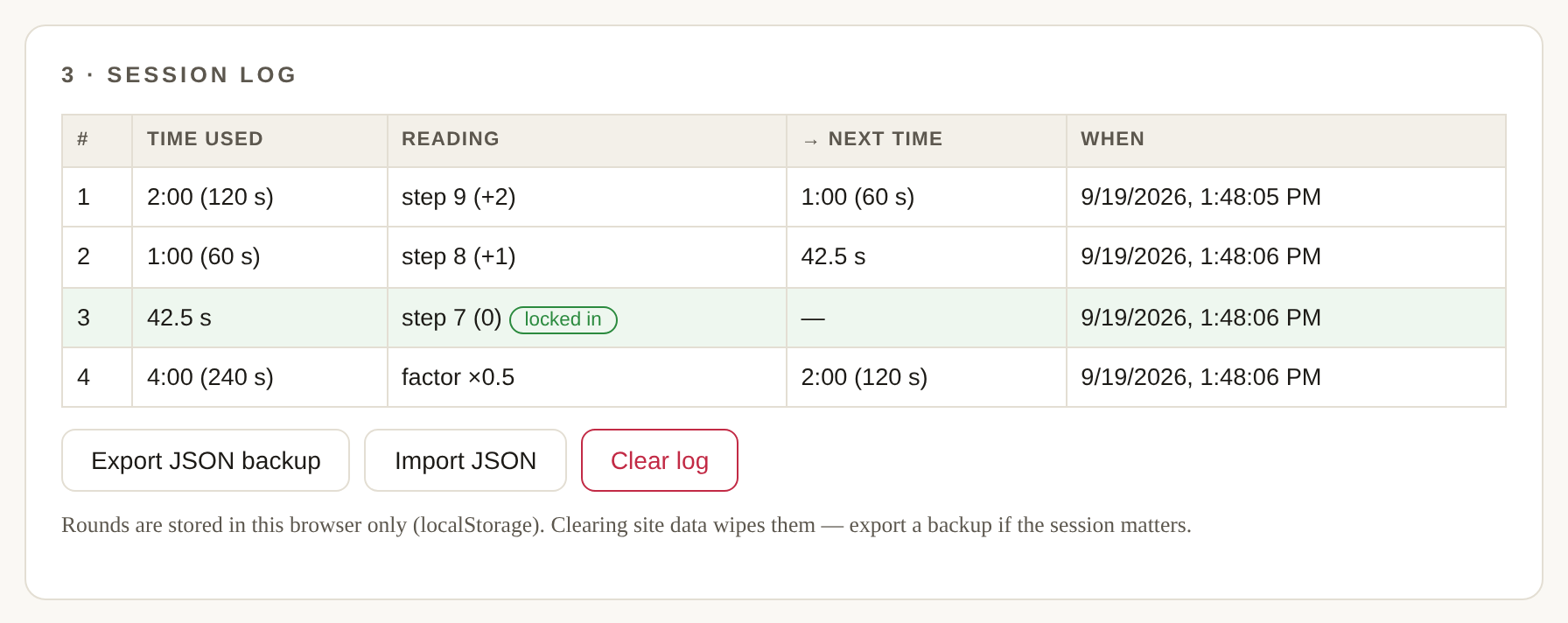
One test is a guess; a logged series is a calibration. Every round is remembered — time, reading, how far off you were, suggested next time — and when a reading lands exactly on target, the row turns green. That final time goes into your shop records next to the emulsion, mesh, lamp and distance it belongs to, because it is only valid for that exact setup. The log lives in your browser’s local storage: it survives closing the tab, it never leaves your computer, and clearing site data wipes it — so export the JSON backup if the session matters to you.
What the tool won’t do
It won’t save you the confirmation test. Every suggestion ends with “run one more test,” on purpose — the math assumes nothing changed between rounds and that your emulsion obeys reciprocity across the whole range. It also won’t tell you your target step; that’s between you, your emulsion’s data sheet, and the detail in your artwork. What it will do is the arithmetic, the bookkeeping, and the honesty about when you’re guessing.
The tool: Exposure Time Calculator. The background reading: How to Find Your Exposure Time. The sources behind the scales: Stouffer, SAATI, Chromaline, Ulano/KIWO.