Exposure Time Calculator
You exposed a test screen with a step wedge. Now you're staring at it, counting solid steps, and doing exponent math on your phone. This tool does the math for you — tell it what you exposed at and what you read, and it hands you the next time to try, with the working shown. It covers both families of exposure calculators on the market: step-counting wedges (Stouffer T2115/T3110/T4105/T4110, SAATI 21-Step, Ryonet 21-Step, plus any custom wedge) and factor-readout filters (KIWO/Ulano ExpoCheck, Chromaline Dual, SAATI Exposure Calculator). Log every round and it tracks your convergence to the target. New to step wedges? Read the step-wedge guide first; for a full tour of this tool, see the calculator walkthrough.
This page is the live demo. For daily shop use, download the standalone file — one .html file you double-click like any program. It runs offline, and your session log is stored on your own computer, completely separate from this website.
▶ Live demo — nothing you enter leaves your computer.
How to use it
The workflow mirrors what you do at the exposure unit:
- Pick your calculator. Step wedge or factor filter. The presets carry each brand's real scale — a Stouffer T2115 steps ×1.41 in dose per step, a T3110 steps ×1.26, a T4105 ×1.12. Target step defaults to 7 (the standard convention; SAATI suggests 6 for CtS units) and is yours to change.
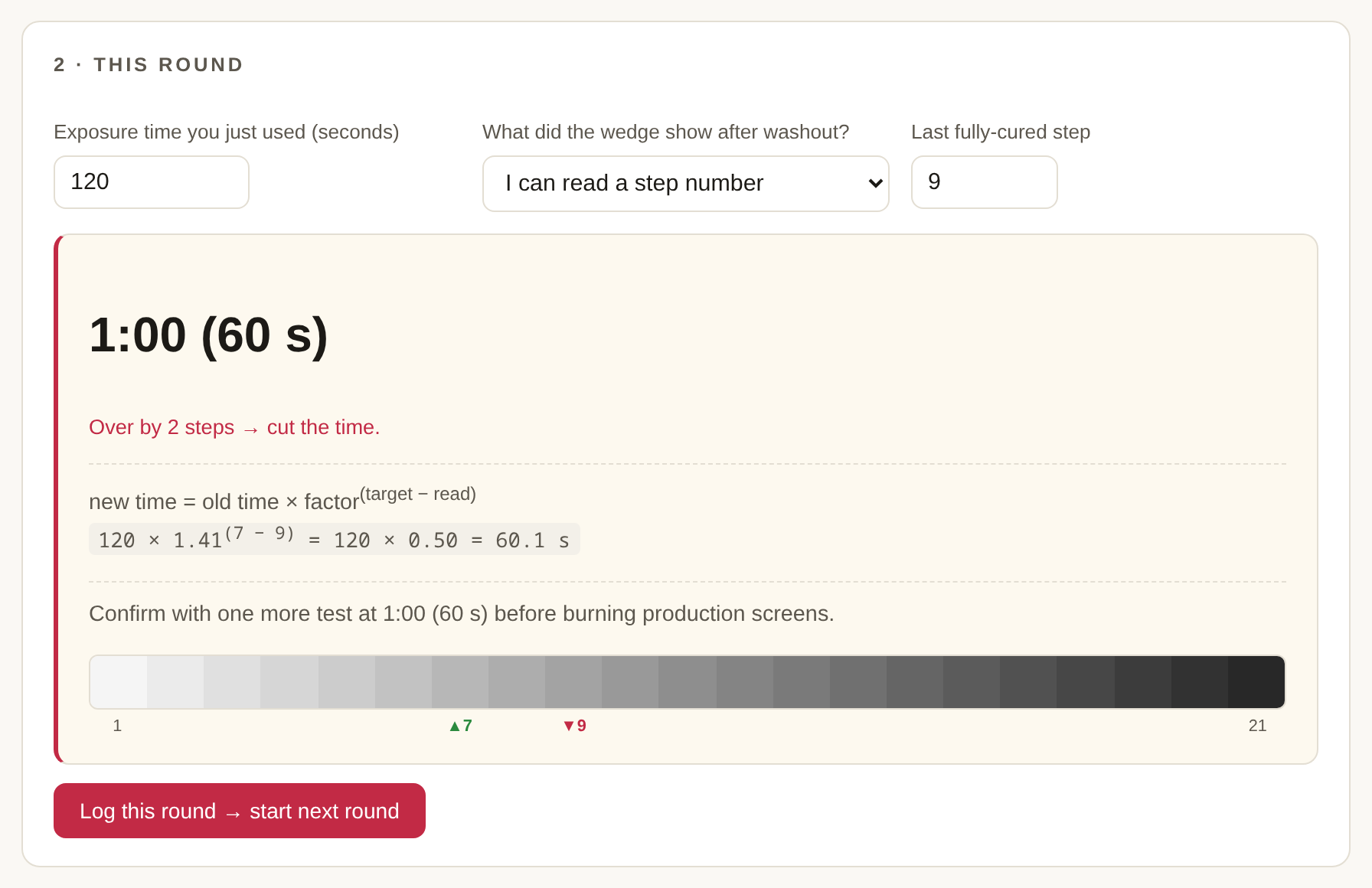
- Enter what you just did. The time you exposed at, and what you read off the washed-out test — a step number, or one of the two "can't read it" cases (nothing solid / everything solid).
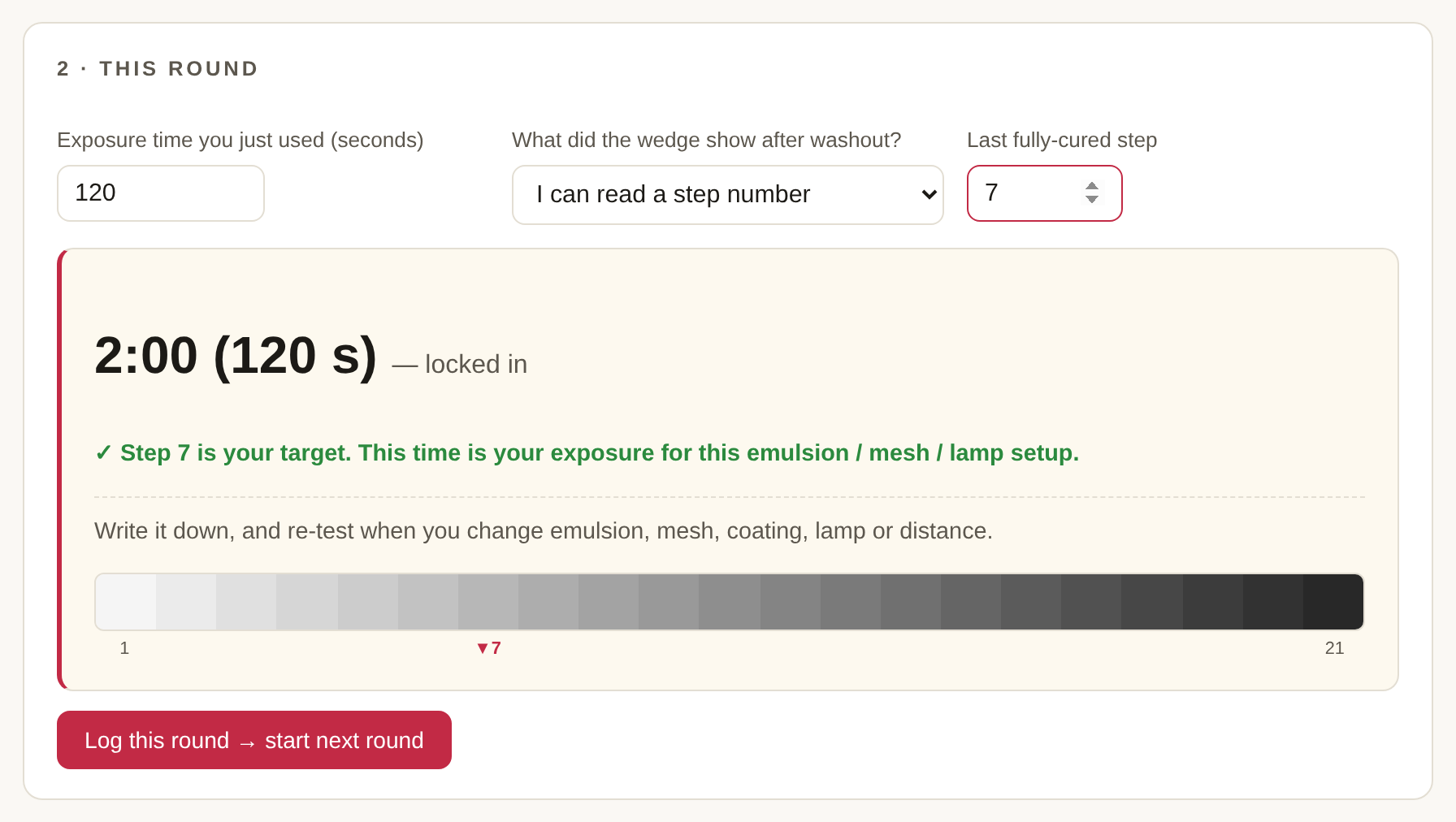
- Take the suggested time and log the round. The next round's time is filled in for you. Repeat until the log says locked in.
The two "can't read it" cases
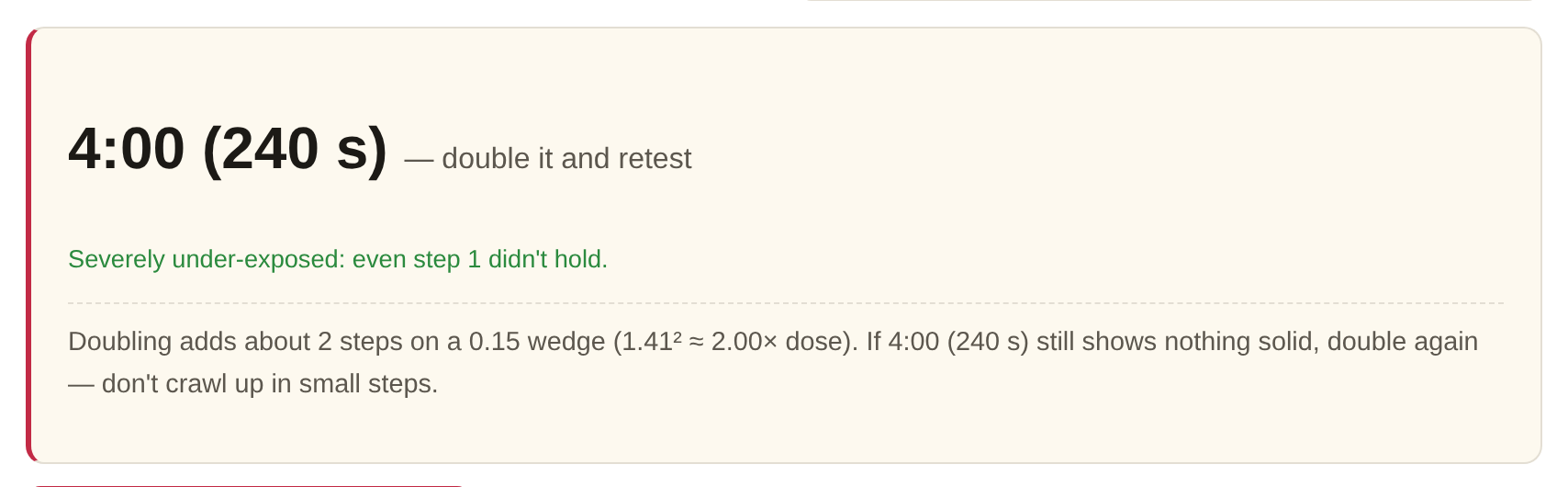
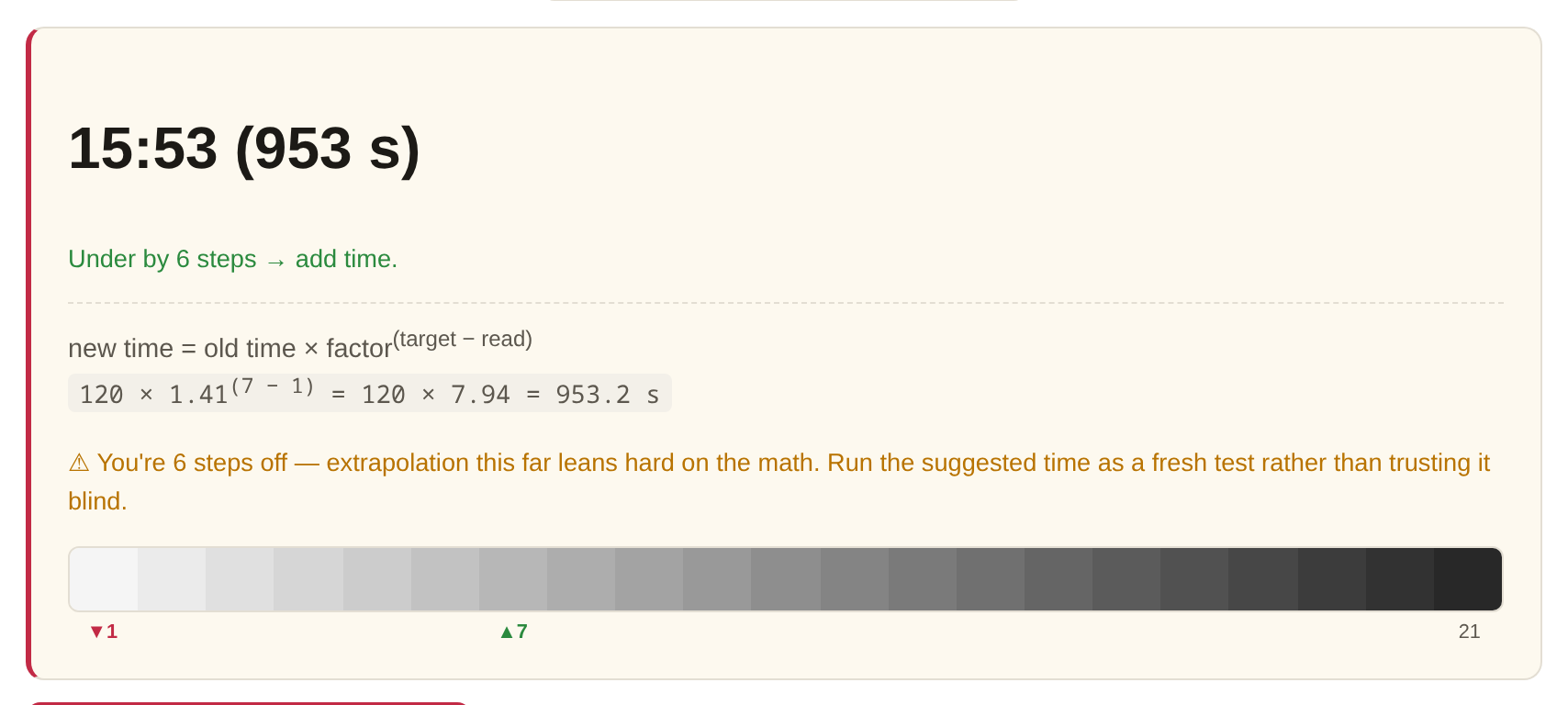
A wedge only talks when the answer lands on its scale. If even step 1 washes out, no formula can help — you're off the bottom of the scale, so the tool tells you to double and retest. If every step is solid, you're off the top — halve and retest. And when the readable answer is four or more steps from target, the math still runs but the tool warns you to treat the suggestion as a fresh test, not gospel — that's where reciprocity drift starts to matter.
Factor filters: ExpoCheck, Chromaline Dual, SAATI
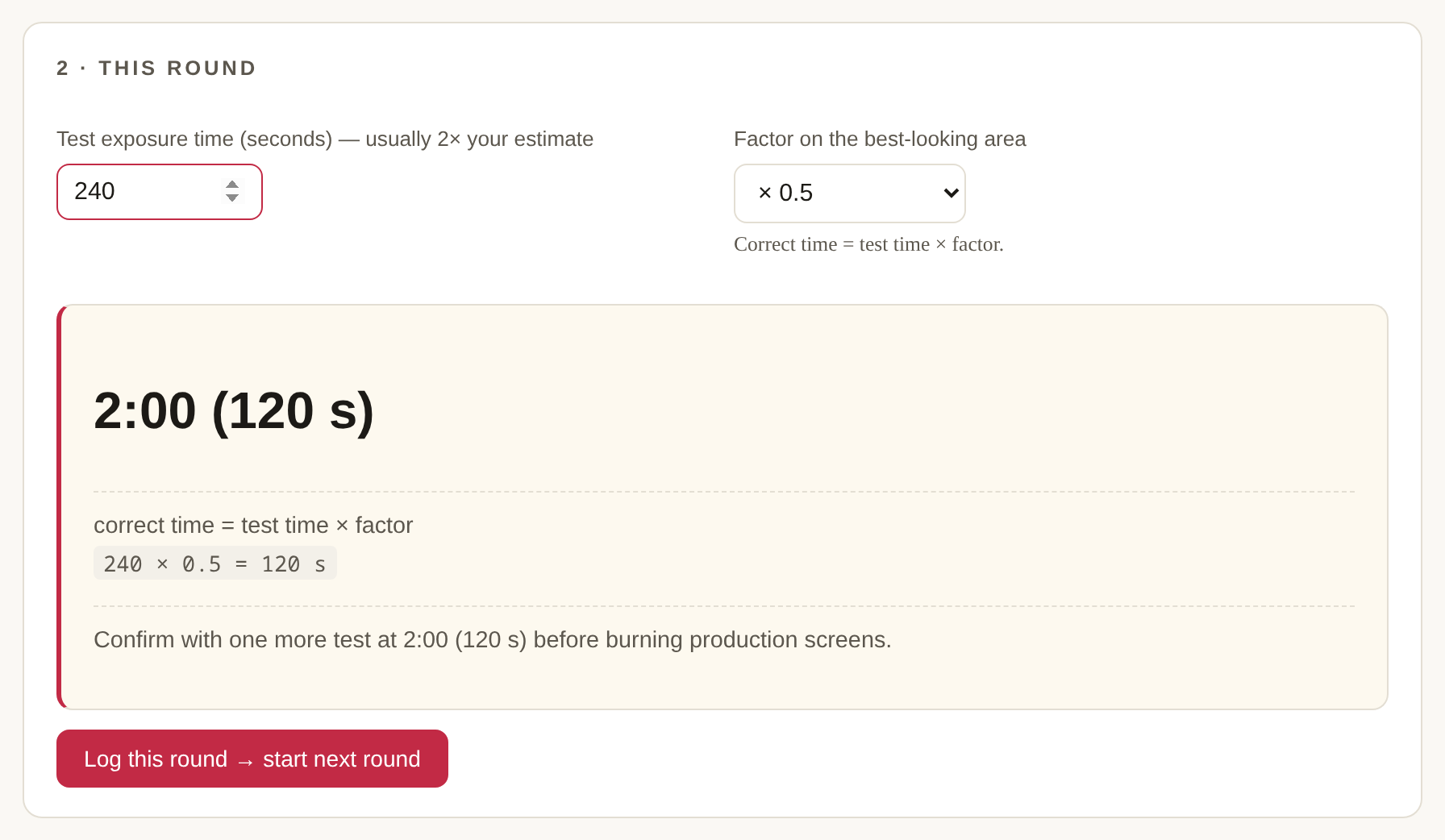
The other family of calculators doesn't count steps at all. You expose at roughly twice your estimated time through a set of neutral-density filters, find the best-looking area, and read a factor off it: correct time = test time × factor. The tool ships the real factor sets — KIWO/Ulano ExpoCheck (×1.0 down to ×0.1), Chromaline Dual (including the 0.33/0.50 interpolation the instructions describe), and the SAATI / Autotype (MacDermid) Exposure Calculator (100/70/50/33/25%) — plus a custom list. Edge cases are handled the way the manufacturers' instructions say: if your best area is the unfiltered ×1.0 end, the tool suggests you may be under-exposing the whole test; if it's the darkest filter, it tells you to bracket with a fresh test at 2× the computed time.
The session log is the point
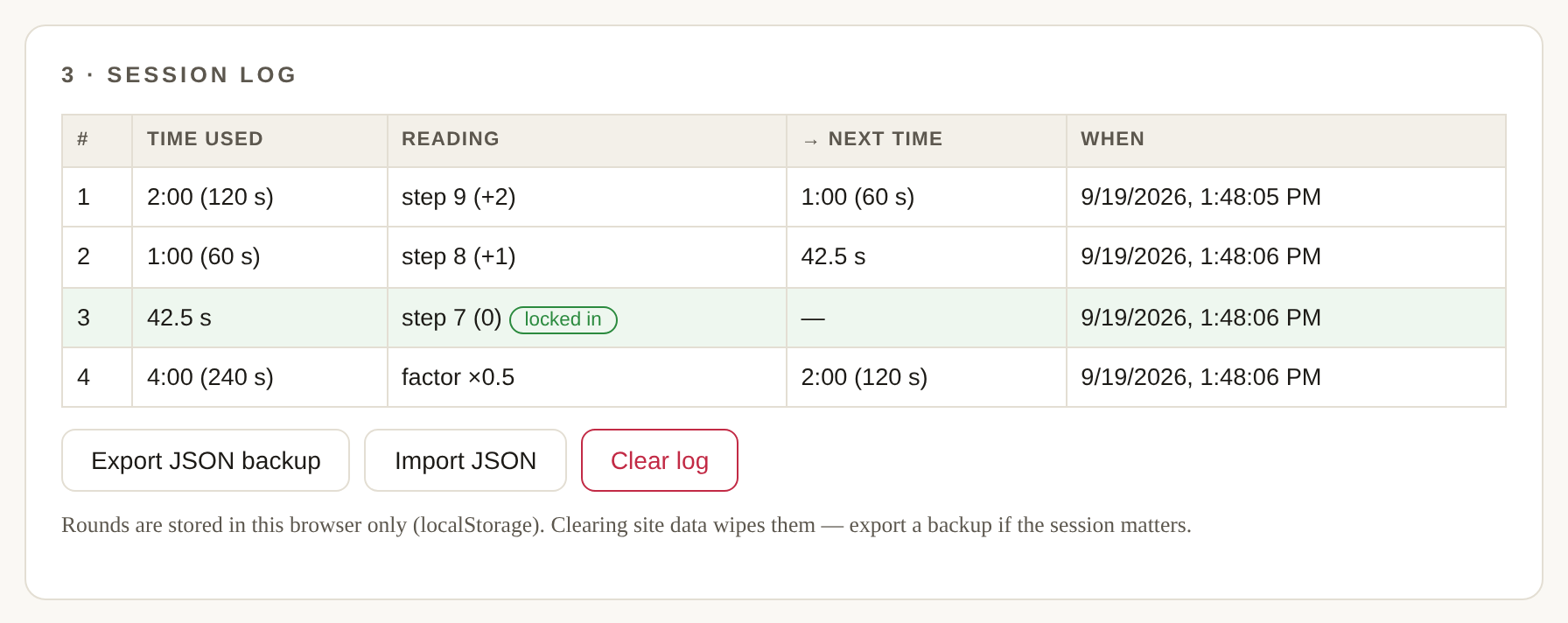
One test is a guess; a logged series is a calibration. Every round you log is remembered in your browser: the time, the reading, how far off you were, and the suggested next time. When a reading lands exactly on target, the row turns green and the session is done — that time belongs in your shop records, next to the emulsion, mesh and lamp it belongs to. Export the log as JSON before you clear browser data, because that's where it lives.
Scope and honest limits
The math assumes reciprocity — that dose is dose, however you slice it. Real emulsions drift from that at very long or very short exposures, which is why every suggestion ends with "confirm with one more test." The tool also assumes nothing changed between rounds: same emulsion, same coating, same mesh, same lamp at the same distance. Change any of those and your log is a historical document — run a fresh test. Preset scales are taken from the manufacturers' published instructions (Stouffer, SAATI, Chromaline, Ulano/KIWO); this tool is not affiliated with or endorsed by any of them.