Screen Inventory Manager
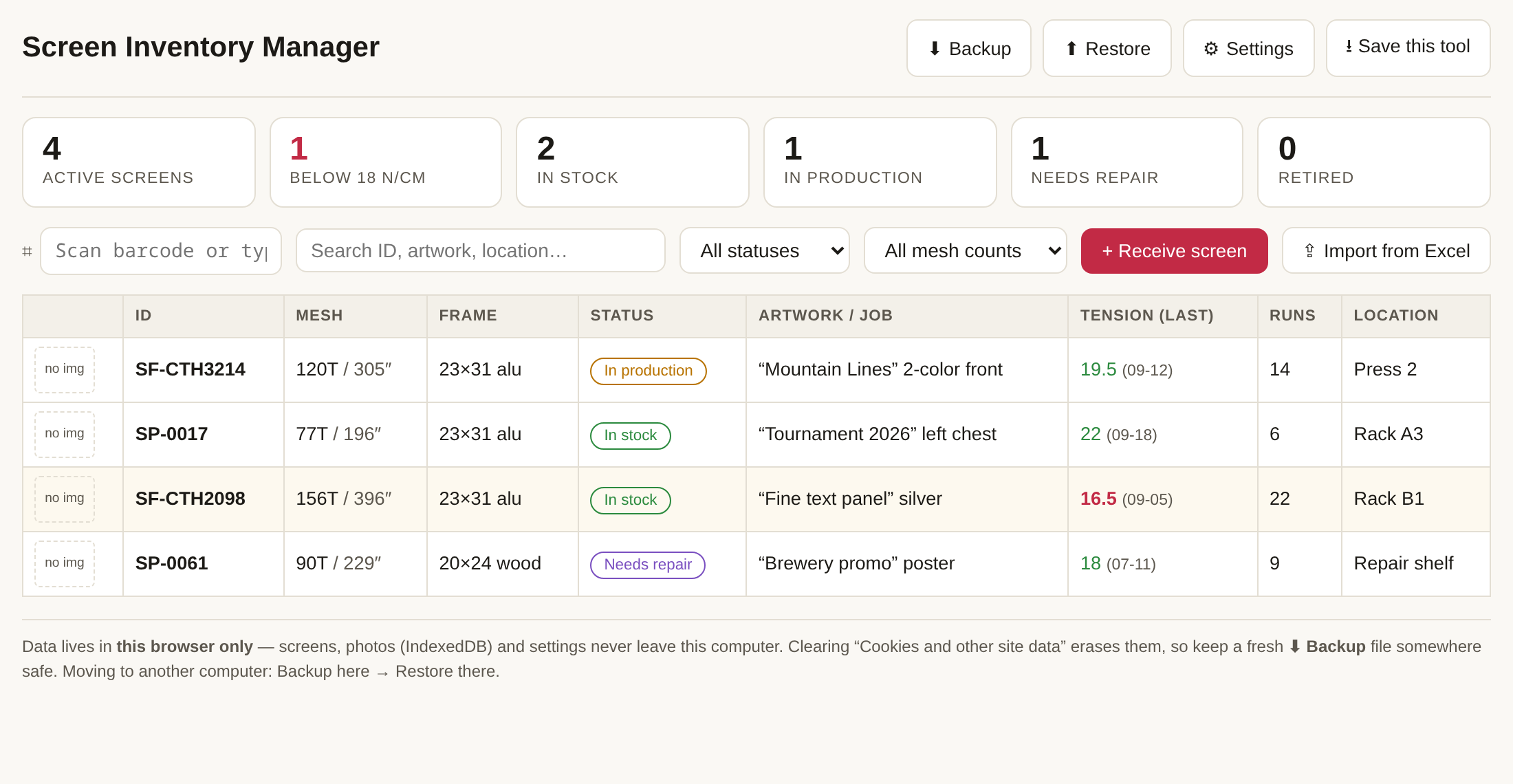
Hundreds of screens on racks, tracked in a spreadsheet that can't hold photos, can't print labels, and can't tell you which screens are going soft. This tool is built for screen users, not screen makers: your screens arrive with the image already burned, and your job is to know where each one is, what job it carries, how many runs it has done, and whether its tension is still above your floor. Free-format IDs (yours, whatever the scheme), Excel import with column mapping, 5-point or 1-point tension logging at every changeover, printable frame labels with Code 128 barcodes, and scan-gun lookup — point a cheap USB scanner at a frame and its record pops open. For the full tour, read the walkthrough guide.
This page is the live demo (with sample data one click away). For daily shop use, download the standalone file — one .html file you double-click like any program on the screen room PC. It runs fully offline, and your inventory lives on your own computer in IndexedDB, completely separate from this website. Keep a JSON backup from inside the tool.
▶ Live demo — click "Load sample data" to explore. Nothing you enter leaves your computer.
What it does, in one loop
Receive a screen → register it (free-format ID, one-tap fields that learn your common values) → print the frame label with a barcode and stick it on → at every changeover, scan the label and log the tension → the tool flags anything below your threshold and keeps each screen's full history: runs, locations, tension decay, repairs.
Not sure which mesh count a new job needs? Run it through the Screen Mesh Selector first — its result links straight back here, pre-filtered to the screens you already own that can do the job.
Highlights
- Your Excel imports as-is. Paste the sheet, map your columns to fields once (Chinese headers guessed automatically), preview, import. Duplicate IDs are skipped; your own status names become custom statuses.
- Your IDs, not ours. Any format —
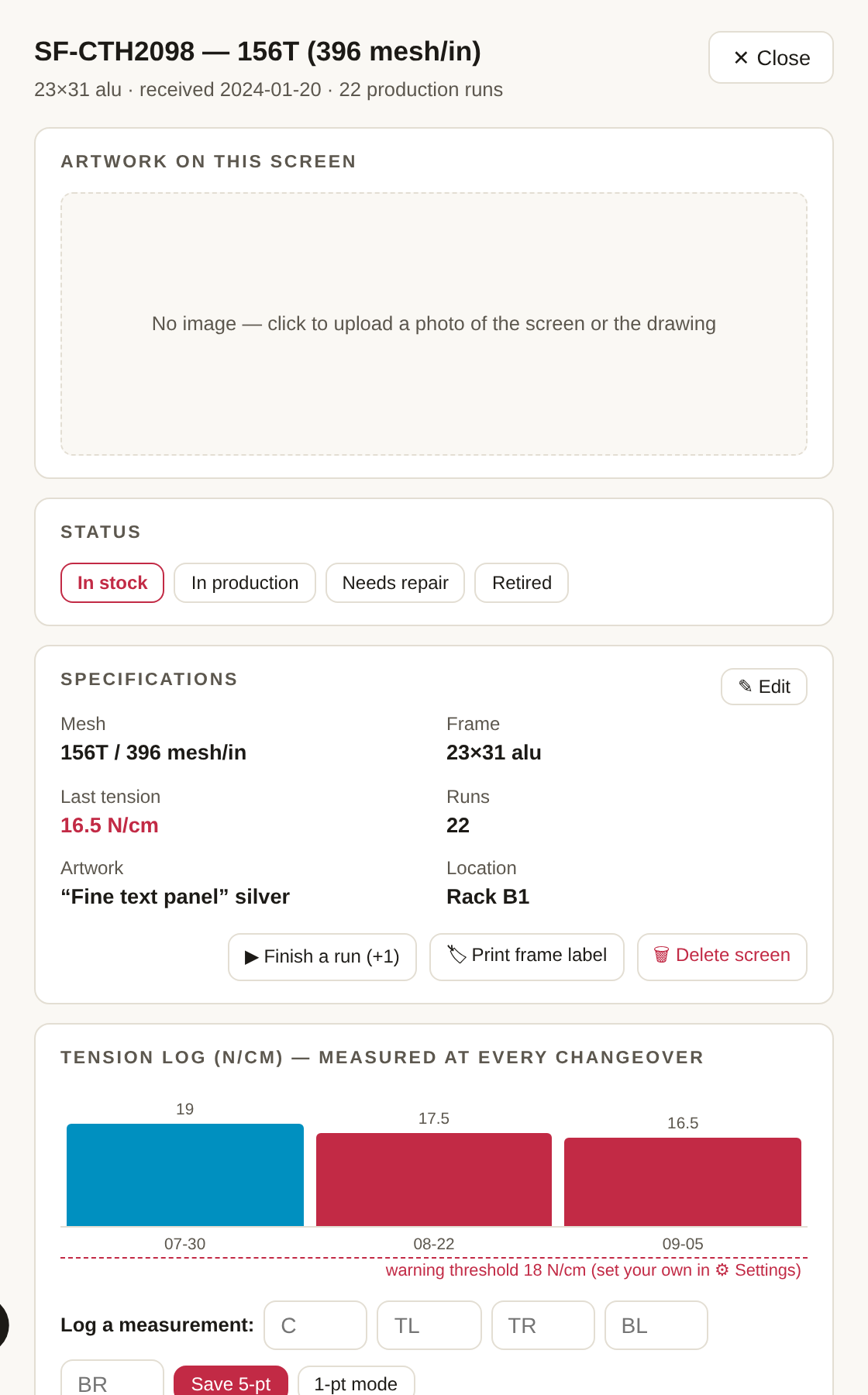
SF-CTH3214, numbers, anything. The only rule: unique. The ID becomes the barcode and the search key. - Tension is first-class. 5-point (center + four corners) with a live average, or 1-point mode. Every reading is timestamped into a per-screen curve, with a red line at your threshold.
- Scan, don't search. Any USB/2.4G barcode scanner is just a keyboard — scan a frame label from any screen and the record opens. Manual ID + Enter works the same.
- Labels your way. Pick the fields, set your exact label size in mm, Code 128 barcode included, print to your Zebra (or any) label printer via the browser dialog.
- Statuses your way too. Defaults are suggestions — rename, add, delete (in-use ones are protected). One shop's "Shipped to customer" is another's "At reclaim".
Where your data lives
In your browser, on that computer — screens, photos (compressed on upload) and settings all sit in IndexedDB; nothing is sent anywhere. Clearing "cookies and site data" erases it, so the tool has one-click JSON backup and restore built in. Moving PCs: backup on the old one, restore on the new one. Read the full guide for the Excel import walkthrough and the scan-gun setup.